
Can you use an ordinary TV for church digital signage?
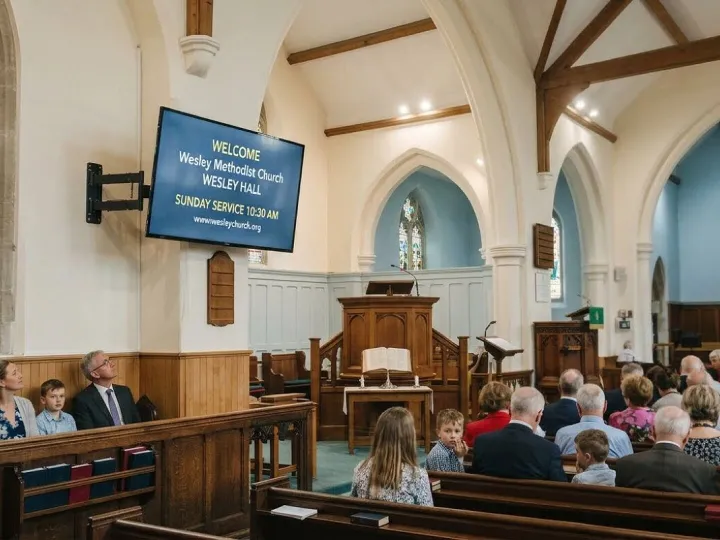
The short answer is yes. Most churches that want a screen in the foyer or the hall can use a perfectly ordinary television, and plenty start with one that was already in the building. There are a few things worth checking first, though, and one or two that are worth spending a little more on.
What the television needs
For most digital signage systems, ours included, the one essential is an HDMI socket. Nearly every television and computer monitor made in the last fifteen years has one. The signage box plugs into it, and the television simply shows whatever the box sends.
Beyond that, a few features make day-to-day life easier:
- A picture that looks good from an angle, because people will walk past it rather than sit square in front of it.
- Settings that let you switch off the television’s own logos, pop-ups and ‘no signal’ messages, so the screen only ever shows your slides.
- A timer, or a remote you are happy to leave with somebody, so the screen can be switched off overnight and when the building is locked.
Ordinary television or commercial display?
Shops and stations use commercial displays, which are built to run for very long hours, are brighter, and often come with longer warranties. They also cost noticeably more. For a church foyer that is busy on Sunday mornings and for a few weekday sessions, a good domestic television is usually enough, especially if it is switched off when nobody is around. If your screen will face a sunny window or run all day, every day, it is worth looking at a commercial display, or at least a brighter television.
How big is big enough?
Bigger is not always better in a small foyer. What matters is whether somebody standing where people naturally pause can read a slide comfortably. As a rough guide, a 40 to 50 inch screen suits most foyers and halls, while a narrow porch may be better served by something smaller hung upright. If you can, hold up a sheet of card the size of the screen you have in mind and step back to where people will stand. It is a two-minute test that saves a lot of second-guessing.
Landscape or portrait?
Most televisions are designed to sit in landscape, and that suits halls and foyers well. Portrait screens work nicely beside doors and along corridors, but check the manufacturer’s guidance first, because not every television is happy to be mounted on its side. Your signage system then needs to know which way round the screen is, so the slides are laid out to fit. Ours handles both.
Mounting it safely
This is the part to take most care over. Use a wall bracket rated for the weight of the television, fix it to a wall that can take it, and keep the cables tidy and out of reach. In many church buildings the property stewards will want to know before anything is fixed to a wall, and your insurer may have views too, so it is worth asking early. If nobody in the congregation is confident with a drill and a spirit level, a local electrician or aerial installer will usually do it in an hour or two.
What about the old television in the vestry?
Rescuing a spare television is a lovely way to start. As long as it has an HDMI socket and a decent picture, it will do the job, and you can always upgrade once you know the screen is earning its keep. Give it a good clean, check the remote still works, and make sure there is a power socket nearby.
Where Chrestos fits in
With Chrestos Digital Signage, we post you a small display unit that plugs into your television’s HDMI socket and connects to your WiFi or a network cable. It uses about half a watt of electricity and collects your slides from our servers in Full HD. The television itself is yours to choose, which is why we are always happy to talk through sizes and positions before you buy anything. There is more on our church display screens page, or ring us on 01244 478727 for a chat.
Discover more
Explore the tools, compare our packages or talk to the team.
Chrestos Cloud
Web Design Tools, Planmaker, Loudhailer, Database and Digital Signage, all in one place.
Packages & pricing
No build fee and no long contract. Pick the package that suits your church and grow from there.
Talk to us
Questions, a demo or a chat about what your circuit needs. We are happy to help.
Ready to get started?
Let’s explore how Chrestos can support your church, circuit or district.

Technology for a brighter church