What to put on a church screen: slide ideas that work
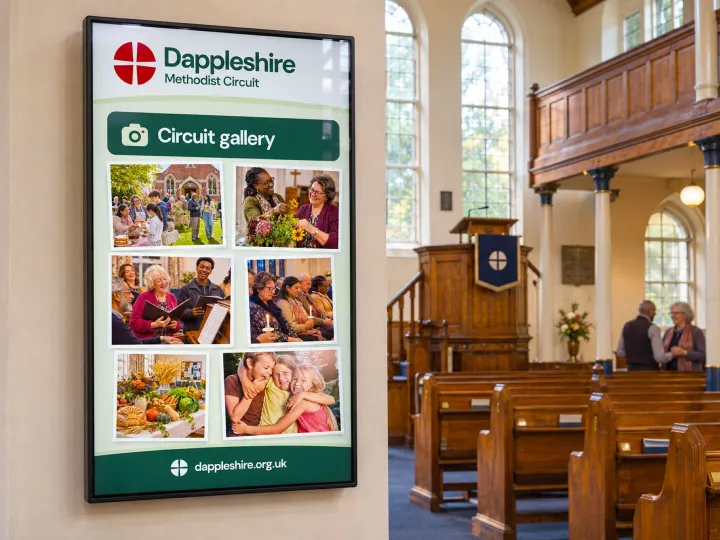
Once a church has a screen in the foyer, the next question arrives quite quickly: what do we put on it? It’s tempting to treat it as a bigger notice board and fit everything on, but screens work differently. People glance at them for a few seconds as they pass. The best slides say one thing, clearly, and then make way for the next. (If you are still choosing the screen itself, our guide to using an ordinary TV is a good place to start.)
Here are some ideas that work well in churches of every size, and a few habits that keep the screen worth looking at.
Start with a welcome
For many visitors, the screen is the first thing they see as they come through the door. A simple welcome, with the church’s name and a friendly line, does more than you might expect. It tells a newcomer they are in the right place.
This week, at a glance
- This Sunday’s services, with times and who is leading worship.
- Anything special: Holy Communion, a baptism, a parade service or a visiting preacher.
- Midweek groups and meetings, with the day, the time and the room.
- A reminder of what is coming next week, so nobody is caught out.
If your circuit makes its plan in Planmaker, this is exactly the information that can find its way onto the screen without anybody typing it in. Our guide to publishing the preaching plan has more on getting the plan in front of people.
Events and groups
Give each event its own slide rather than squeezing four onto one. A photograph from last year, the date, the time and one sentence will do. Here a screen has a great advantage over paper: a slide can be set to disappear the day after the event, so the foyer never advertises something that has already happened.
Photographs of church life
Pictures of people are what everybody stops for: the harvest display, the youth group’s litter pick, the anniversary tea. Keep a small, changing selection rather than a long slideshow. And make sure you have permission from anybody who can be recognised, especially children.
The practical things
Visitors often have questions they would rather not ask. A slide or two can answer them quietly: where the toilets are, whether there is a hearing loop, the WiFi details, accessible parking, where to find a large-print hymn book. These slides can stay up for months.
Keeping slides readable
- One idea per slide, and no more than twenty or so words.
- Large text, strong contrast and a clear photograph rather than clip art.
- Around eight to ten seconds per slide, a little longer for anything with more words.
- No more than ten or twelve slides in the loop, so somebody waiting a minute sees most of them.
- Days and times written out in full, such as ‘Saturday at 10am’ rather than ‘Sat 10.00’.
Who looks after it
The screens that work best have one person keeping an eye on them, even when several people add slides. A quick look each Monday, taking down anything that has finished and adding what is coming up, is usually enough. Setting slides up ahead of time helps too; Christmas can be put together in November and then left to appear on the right day. Our article on getting Christmas services noticed has more ideas for the busiest weeks of the year.
If you would like your slides to look polished without having to design them, our digital notice board comes with templates in your church’s own colours. Every slide looks right from the start.
Discover more
See what the tools do, compare the packages, or have a chat with the team.
Chrestos Cloud
Web Design Tools, Planmaker, Loudhailer, Database and Digital Signage, all in one place.
Chrestos Cloud
Web Design Tools, Planmaker, Loudhailer, Database and Digital Signage, all in one place.
Packages & pricing
No build fee and no long contract. Pick the package that suits your church and grow from there.
Ready to get started?
Tell us about your church, circuit or district, and we’ll show you how Chrestos could make life a little easier.

Technology for a brighter church